

Introduction to Logitech Accessories
Finding the right hardware can completely transform how you interact with your computer. Whether you are typing up long reports, engaging in competitive gaming sessions, or attending virtual meetings, having reliable tools makes all the difference. Logitech has long been a trusted name in the peripheral market, offering a vast array of devices tailored to different user requirements. Upgrading your setup does not just mean buying expensive hardware; it means investing in comfort, efficiency, and durability for your daily digital tasks.
Enhancing Daily Productivity
Productivity relies heavily on the equipment you use at your desk. A sluggish mouse or an uncomfortable keyboard can quickly drain your energy and slow down your workflow. Modern high-end peripherals are engineered to reduce physical strain while increasing operational speed. Programmable buttons, customizable software, and ergonomic shapes allow professionals to streamline their tasks. By choosing equipment that fits your specific working style, you can maintain focus for longer periods without experiencing hand fatigue or discomfort.
Keyboards for Every Typist
Keyboards are the primary interface for most office workers and writers. Mechanical keyboards offer tactile feedback and satisfying acoustics that many users prefer for intensive typing. On the other hand, slim wireless models provide a clean, cable-free aesthetic that saves valuable desk space. Key considerations when choosing a keyboard include key travel distance, connectivity options, and backlighting features for low-light environments. Many modern devices also support multi-device pairing, enabling you to switch seamlessly between a laptop, tablet, and desktop computer with the press of a single button.
Mice for Precision and Comfort
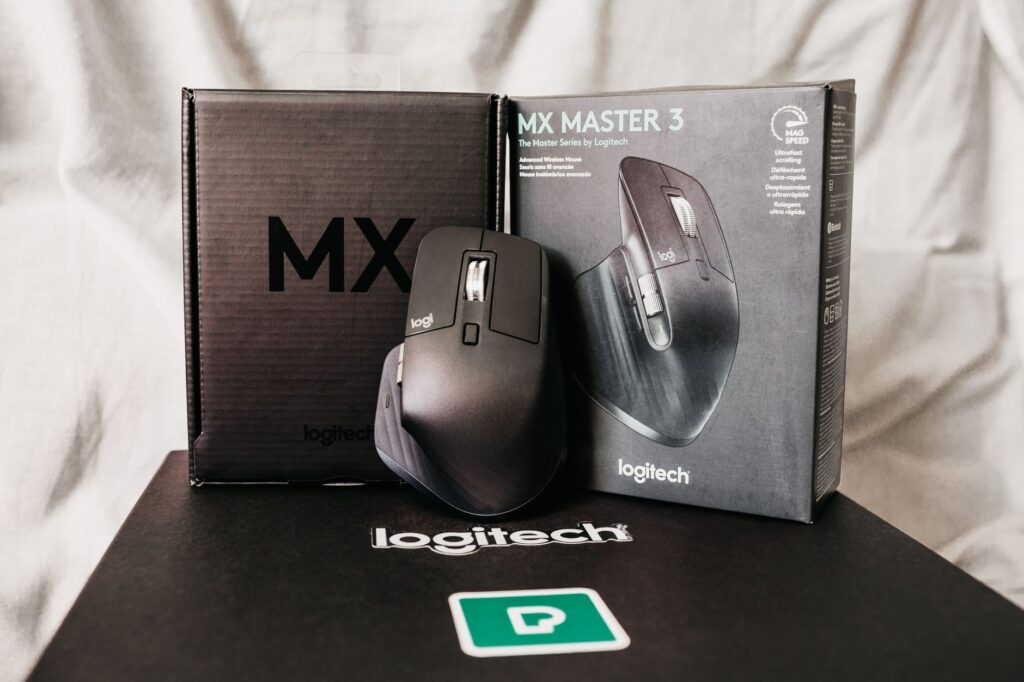
Computer mice have evolved significantly beyond simple pointing devices. Ergonomic mice are designed to support the natural posture of your hand, preventing repetitive strain injuries during extended use. High-precision sensors allow these devices to track accurately on almost any surface, including glass. For gamers and power users, customizable side buttons and adjustable DPI settings provide the exact control needed for fast-paced tasks. Wireless connectivity has also reached a level of reliability that matches traditional wired options, eliminating desk clutter without sacrificing response time.
Webcams for Professional Communication
Clear video and audio are essential in a world where remote collaboration is the norm. High-definition webcams provide sharp image quality and perform well even in poorly lit rooms. Features like autofocus, wide-field-of-view lenses, and integrated microphones ensure that you look and sound your best during virtual conferences and online classes. Investing in a quality standalone webcam offers a substantial upgrade over built-in laptop cameras, projecting a more professional image to colleagues and clients.
Gaming Gear for Peak Performance
Gaming peripherals require a different set of optimizations. Low latency, ultra-fast response times, and durable mechanical switches are critical for competitive players. Specialized gaming mice and keyboards often feature customizable RGB lighting and software integration that lets users create macros for complex command sequences. These devices are built to withstand heavy use while delivering the precision required to gain an edge in competitive virtual environments.
Choosing the Right Setup
Selecting the best accessories depends entirely on your personal needs and daily habits. If you spend most of your time typing documents, prioritize a comfortable keyboard and an ergonomic mouse. If video calls dominate your schedule, a reliable webcam should take precedence. Take time to assess your current pain points at your desk and choose hardware that directly addresses those challenges. A thoughtful upgrade can make your computing experience significantly more enjoyable and efficient.